Skip to content

Live operations platform

Your entire operation,on one live map.

Wetapoint puts every person, task, and incident on a single real-time map — GPS-verified check-ins, push-to-talk radio, live video, and an exportable, append-only audit log of key actions. Built for festivals, field games, and security teams.

EU-hostedGDPR self-serveFree to startCancel anytime

Wetapoint operations console: live map with geofenced zones and a units panel

4

task types — location, area, path, action

33

webhook events for outbound integrations

Push-to-talk

radio with live video on iOS, Android & web

Append-only

audit log, with actor and timestamp

01 — The live map

Command the field from one screen

The actual operations console — captured from a staged demo operation, not a mock-up.

01 — Live tracking

Every unit, live

Crew, vehicles, and volunteers stream their positions onto one map — filterable by team, zone, or status, with stale-position detection the moment someone drops offline.

Live map with geofenced zones and a units panel of crew members
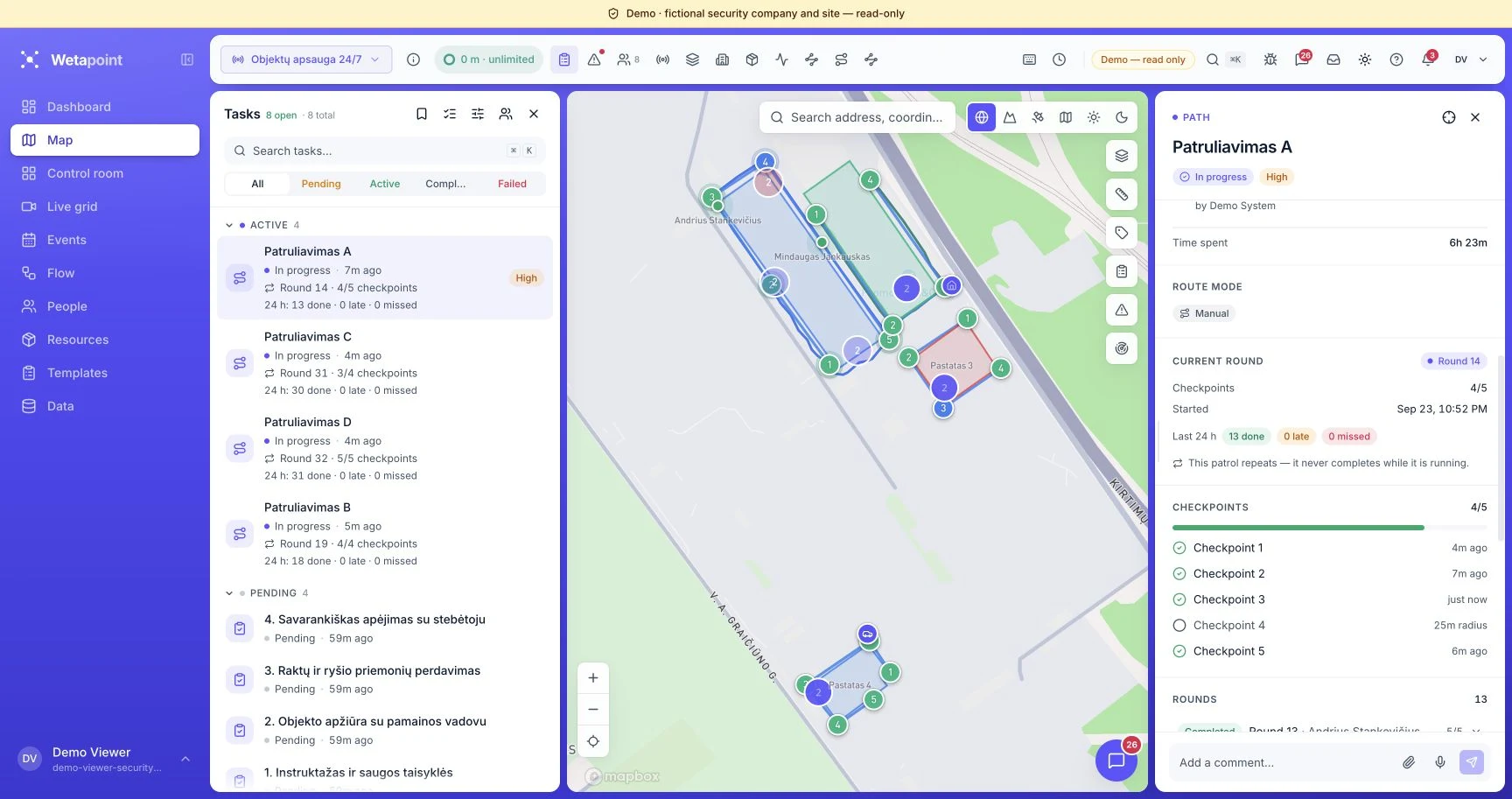
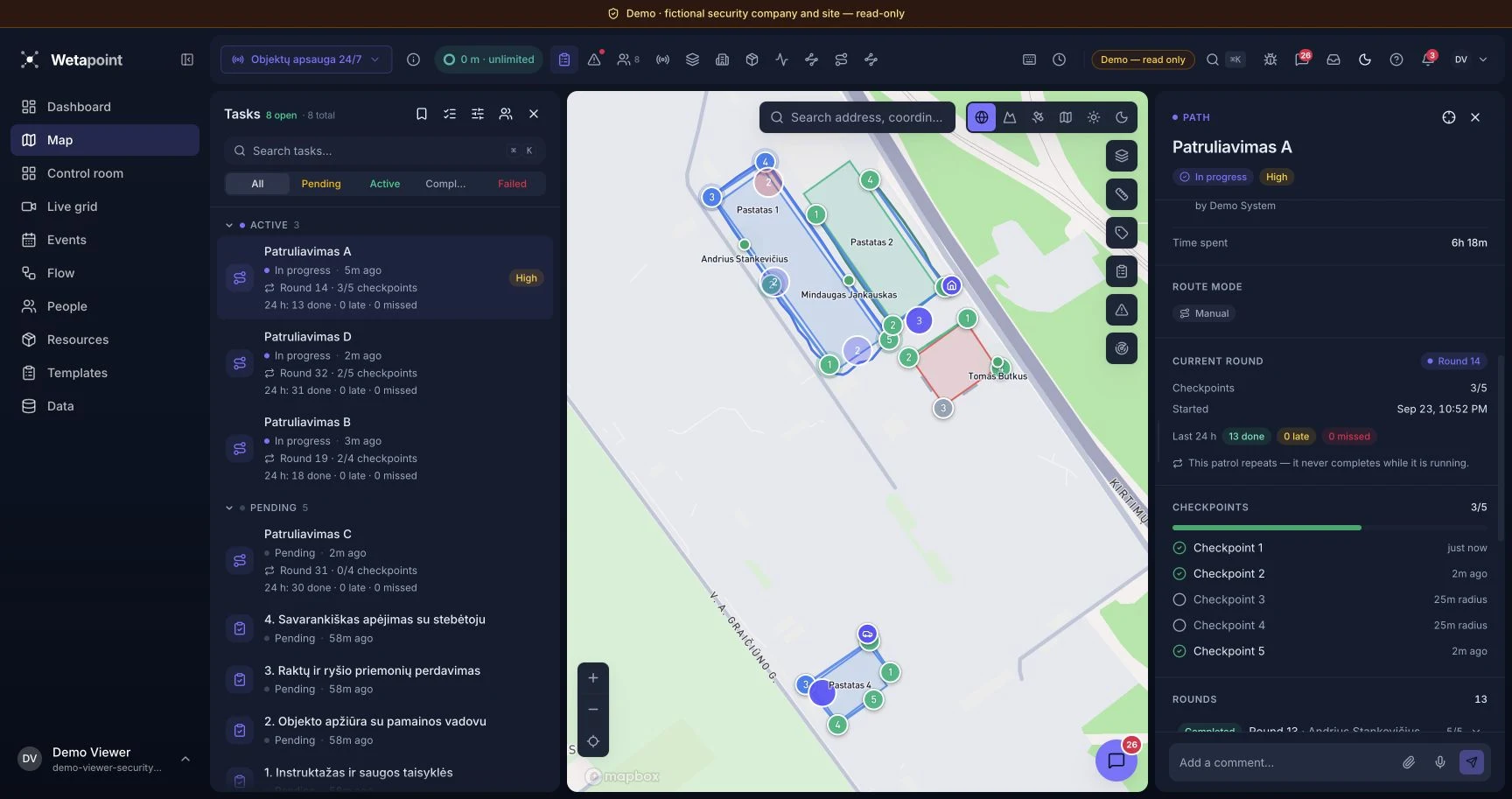
Task detail panel showing a geofenced area task with assignees

02 — Tasks & check-in

Assign work. Verify arrival.

Tasks pin to places. Completion fires when the assignee is physically inside the geofence — with deadlines counting down in real time.

03 — Incident response

Report, dispatch, resolve

An incident opens with severity, position, and reporter. The console surfaces the nearest available units — dispatch is one click, and every step lands on the response timeline.

Incident detail panel with severity badge and response timeline

02 — Capabilities

Everything a field operation needs

Six core systems. One data model. One audit trail.

Live GPS tracking

Live positions, full history playback, automatic stale-position detection.

Learn more

Tasks & GPS check-in

Four task types with arrival-verified completion and live progress.

Learn more

Incidents & audit

Severity, response timeline, and an append-only audit trail.

Learn more

Radio, chat & live video

Push-to-talk channels, team messaging, and on-demand phone streams.

Learn more

Geofenced zones

Arrival and dwell triggers on zones drawn in under a minute.

Learn more

Analytics & reports

Coverage heatmaps, route replays, and compliance-ready PDF exports.

Learn more

03 — How Wetapoint is structured

Five nouns, and you know the whole product

Everything in Wetapoint hangs off five things. Learn them once and every screen makes sense.

01

Organization

Your company. Everything you create lives inside it and never leaves it — one organization, one map, one bill.

02

Members and groups

Your people, arranged in a tree. The tree is the visibility model: a parent group sees everything below it, never across to a sibling. Groups decide what someone sees, roles decide what someone can do.

03

Event

One piece of work with a start and an end — a festival, a night shift, a search. It holds the members working it, the zones on the map, the tasks to do and the incidents that come up.

04

The map

The live side. Members appear as they come on duty, zones divide the ground, tasks mark work to do and incidents mark what went wrong. It updates itself — nobody refreshes.

05

The record

Every position, task, incident and decision is kept. Replay a shift on the timeline, pull the numbers in analytics, export a report. The audit log is append-only.

Every account gets all five, whatever you run. The three fronts below differ in what you look at first — not in what the product can do.

04 — One platform, three fronts

Different operations. Same backbone.

Festival weekends, forest games, overnight patrols — the same product, the same five concepts, the same audit trail. What changes is which screen you live on.

Events & festivals

Coordinate every team across a 50-hectare venue without losing visibility

A modern festival is a temporary city operating for 72 hours. Coordinating production, security, medical, and volunteer teams across dozens of zones — without overlapping radio chatter, paper rosters, or fragmented chat threads — does not scale. The moment something happens at Stage 4, the wrong people are listening on the wrong frequencies.

Same product as every Wetapoint account — this is the part of it a festival production desk lives in.

Start free. Every feature is included on every plan.

  • Every staff member, volunteer, and security guard on a single live map — filterable by team, zone, or shift
  • Task assignment to individuals or groups, with acknowledgement, status updates, and arrival check-in
  • Geofenced zones for stages, medical posts, restricted areas, and back-of-house — set up in under a minute
  • Two-way radio with channel-per-team scoping, push-to-talk, and a 30-day voicemail inbox
  • Incident logging with timestamped position, photo attachments, and an append-only audit log
Outdoor games & encounters

Turn any outdoor space into a coordinated multiplayer game

Planning a treasure hunt, geocaching event, or large-scale field game means rebuilding the same coordination layer every time: invitations, checkpoints, team chat, real-time tracking. The off-the-shelf tools assume a desk and a stable connection, not a remote forest with 30 children and rain on the way.

Same product as every Wetapoint account — this is the part of it a game organizer lives in.

Start free. Every feature is included on every plan.

  • One-link invitations: participants join the map without account creation or app install
  • Checkpoint and finish-line triggers that fire automatically on geographic arrival or dwell
  • Path checkpoints with configurable radius and sequence — design any course shape
  • Team-scoped chat, zone-scoped chat, and event-wide broadcasts
  • Live overview on tablet or phone — every participant visible in real time
Security operations

Patrol management with an exportable audit history

Paper sign-off sheets, lone-worker check-ins by text message, and camera clips reconstructed days after an incident — that is what most security operations still run on. Insurers, large clients, and regulators are increasingly unwilling to accept that as proof. A patrol either happened or it did not, and the audit trail has to be able to demonstrate which.

Same product as every Wetapoint account — this is the part of it a patrol supervisor lives in.

Start free on a single site. Every feature is included on every plan.

  • Geofenced patrol routes with timestamped checkpoint visits on an append-only audit timeline
  • Path checkpoints with configurable radius and sequence — patrol design is fully editable
  • Live video stream from a guard's phone the moment a situation escalates
  • Task check-ins that confirm a guard physically reached a zone, not just acknowledged a message
  • Append-only audit log of key actions, each recorded with actor and timestamp

05 — Game & quest flows

Turn your operation into a game

Design branching task flows, run competing teams, score them live, and hand out results the moment the final whistle blows.

Dependency-graph flows

Chain tasks into a branching graph — later stages unlock only once their prerequisites are cleared.

Team runs with GPS unlock

Teams advance through the graph in real time; location tasks unlock on arrival, verified by GPS.

Live monitor & scoring

A projector-ready board tracks every team, task, and point as the game unfolds.

Judge review

Organizers review submissions and adjust scores with bonuses or penalties, each logged to the audit trail.

06 — How it works

Live in an afternoon

01

Set up your operation

Sign up on the web console, name the operation, and draw your zones, stages, and checkpoints straight onto the map. Minutes, not a rollout project.

02

Bring your people on

Coordinators and organisers run it from the web console; volunteers, staff, and field crews join on the mobile app from one invite link. A single sign-in and everyone's live on the map.

03

Coordinate live

Assign tasks on the map, watch GPS check-ins confirm themselves, and run incidents with push-to-talk radio and live video the moment something happens.

07 — Trust & compliance

Built for operations that get audited

Append-only audit logging, GDPR tooling, and least-privilege access are part of the core — not an enterprise add-on.

Role-based access

Four system roles plus any custom ones you build. Field operators see only what their role and group visibility grant — on the map, in tasks, and in chat.

Append-only audit log

Key actions are recorded with actor and timestamp in an append-only log, and the history is exportable.

GDPR retention & export

History retention follows the window your plan carries, with one-click data export and self-serve erasure.

EU hosting

Data lives in the EU, and the subprocessor list is published and kept current.

Read the legal & data-processing docs

audit_log — append-only

08 — Pricing

Every feature, on every plan

Every feature, on every plan. Start with 10 members and 24 event hours free. Tiers differ by capacity only — members, event hours, live streams and history.

Free

Every feature, a starter pool of event hours, no card.

€0 /month

Get Started

Members10

Event hours24 h to start

Live video1 concurrent

Location history7 days

Everything included

  • Live GPS tracking on a shared map
  • Tasks, checkpoints and incident reporting
  • Geofenced zones with arrival and dwell triggers
  • Two-way radio: push-to-talk on iOS, Android and web
  • Team messaging, channels and direct messages
  • Muster roll-call accountability checks
  • Task flows: the quest & game engine with live monitor and scoring
  • Live video streaming and the multi-camera grid
  • Timeline playback, coverage map and analytics
  • PDF reports and data exports (CSV, GeoJSON, GPX)
  • Outbound webhooks and public share links
  • Append-only audit log
  • Email support (best-effort)

Starter

For a single team running events through the season.

€29 /month

Get Started

Members25

Event hours150 h / month

Live video2 concurrent

Location history30 days

Everything included

  • Live GPS tracking on a shared map
  • Tasks, checkpoints and incident reporting
  • Geofenced zones with arrival and dwell triggers
  • Two-way radio: push-to-talk on iOS, Android and web
  • Team messaging, channels and direct messages
  • Muster roll-call accountability checks
  • Task flows: the quest & game engine with live monitor and scoring
  • Live video streaming and the multi-camera grid
  • Timeline playback, coverage map and analytics
  • PDF reports and data exports (CSV, GeoJSON, GPX)
  • Outbound webhooks and public share links
  • Append-only audit log
  • Email support

Team

Recommended

For operations running most weekends across several sites.

€89 /month

Get Started

Members100

Event hours400 h / month

Live video5 concurrent

Location history90 days

Everything included

  • Live GPS tracking on a shared map
  • Tasks, checkpoints and incident reporting
  • Geofenced zones with arrival and dwell triggers
  • Two-way radio: push-to-talk on iOS, Android and web
  • Team messaging, channels and direct messages
  • Muster roll-call accountability checks
  • Task flows: the quest & game engine with live monitor and scoring
  • Live video streaming and the multi-camera grid
  • Timeline playback, coverage map and analytics
  • PDF reports and data exports (CSV, GeoJSON, GPX)
  • Outbound webhooks and public share links
  • Append-only audit log
  • Email support

Business

For continuous operations that never stop the clock.

€199 /month

Get Started

Members250

Event hoursUnlimited

Live video10 concurrent

Location history1-year

Everything included

  • Live GPS tracking on a shared map
  • Tasks, checkpoints and incident reporting
  • Geofenced zones with arrival and dwell triggers
  • Two-way radio: push-to-talk on iOS, Android and web
  • Team messaging, channels and direct messages
  • Muster roll-call accountability checks
  • Task flows: the quest & game engine with live monitor and scoring
  • Live video streaming and the multi-camera grid
  • Timeline playback, coverage map and analytics
  • PDF reports and data exports (CSV, GeoJSON, GPX)
  • Outbound webhooks and public share links
  • Append-only audit log
  • Priority support

How event hours work

What is an event hour?
Wall-clock time while an event is ongoing. Each concurrent event counts separately, so two events running for an hour spend two event hours.
When is my operation live?
Live positions, radio and video run only while an event is ongoing. Chat, tasks, incidents and cameras work any time.
What happens when the hours run out?
On the free plan an ongoing event is finished automatically after a short grace period. On paid plans events already running keep going — new ones wait for next month or an upgrade.

Start with 10 members and 24 event hours free — pay only when the operation outgrows them.

08 — Ready

Put your operation on the map

Every feature is included on every plan — and a live demo is one click away.